Introducing Stable Links
When adding links to academic resources, it’s important to ensure they work reliably for everyone, both on and off campus. To achieve this, you should use stable links (also known as persistent, durable, or permanent links). These are URLs designed to remain unchanged over time and work across different sessions, devices, and users.
Wait... why can’t I just copy the URL from the browser?
Copying the URL from the browser address bar while you are viewing a full-text article rarely produces a stable link. This is because:
- Session-based information: Many database platforms include temporary data such as session IDs, client IDs, browser identifiers, or search context.
- Unstable links: These URLs work only within your current login session, meaning the link may break for other users or when tried later.
- Authentication issues: Browser-copied links can bypass the authentication flow or cause off-campus access errors.
To ensure long-term, consistent access, you should always use a database-provided persistent link or a Library Search permalink.
Creating Stable Links
Links containing ezproxy.waikato.ac.nz
You might notice that, in some databases, the UoW EZproxy address appears in the middle of the URL, for example: https://search.ebscohost.com.ezproxy.waikato.ac.nz/login.aspx?direct=true...
Historically, these links could be made stable by reformatting them into the standard EZproxy pattern, and they do work reliably while EZproxy is in use. However, the University is moving away from EZproxy-based access, so we no longer recommend creating or repairing links that depend on: ezproxy.waikato.ac.nz
Creating new EZproxy-dependent links now will cause problems later, because those links are likely to break once EZproxy is retired.
What to do instead
If you see a URL that contains: ezproxy.waikato.ac.nz:
It's best to replace it with a permanent link from Library Search.
Most resources available through the Library will already have a record in Library Search.
The Permalink in this record is the most reliable link to use.
To find the Permalink:
- Open the item’s record in Library Search
- Select the Permalink option (usually within the “Send to” menu)
- Copy the URL provided
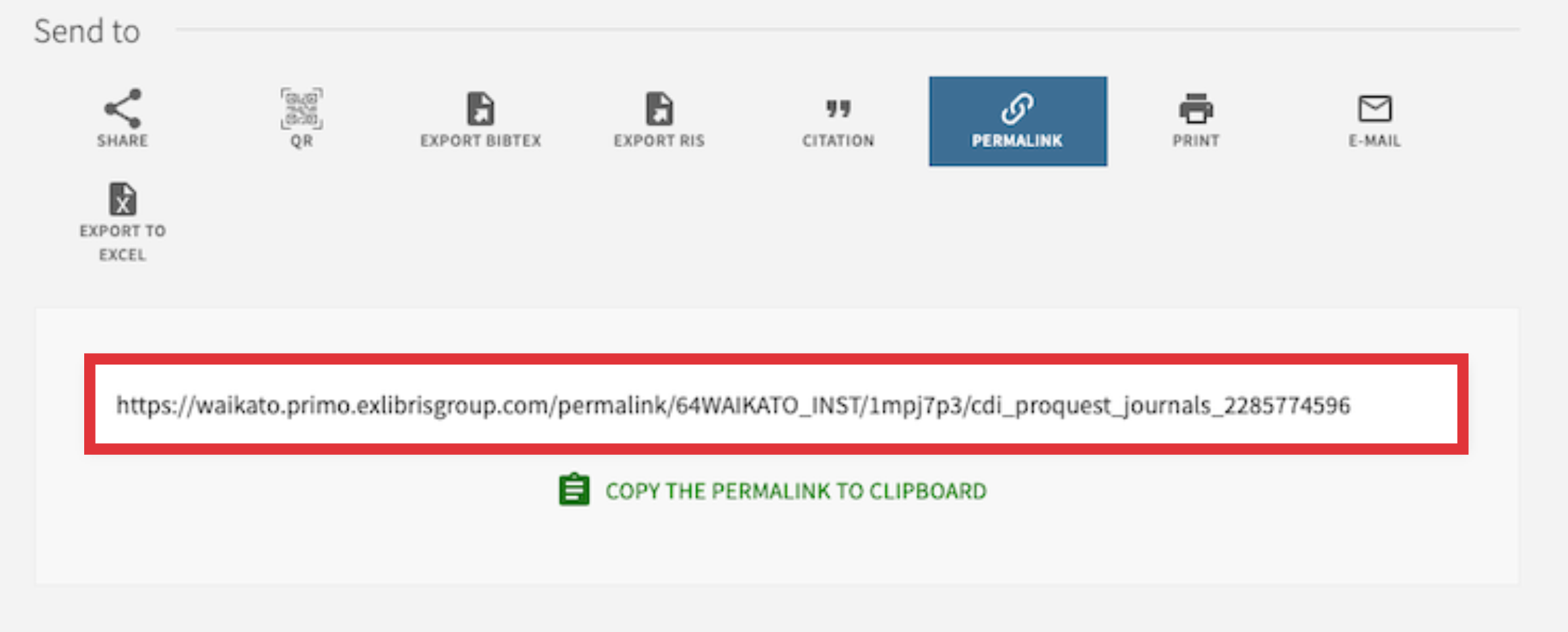
This link is stable, system-generated, and ensures correct authentication for all users.
This approach future-proofs your links:
- Library Search permalinks can be updated centrally if access routes changes.
What about DOI?
If you are certain that the resource is Open Access (doesn't need to be authenticated) then you can use a DOI links. These stay valid even if the underlying platform changes.
Contact us
If you’re unsure what to use for a specific resource, please contact the Library for advice.